
Never Miss a Job That Matches What You’re Looking For
Search once. Let us keep watching for you.
How Job Alerts Work
- Enter the job title you want.
- Enter your preferred location — or choose Remote.
- Click Search.
- On the results page, click Create Alert.
- Enter your email address and your alert is active.
That’s it.
You can create as many Job Alerts as you want for different job titles, locations, or remote opportunities.
We do the searching. You get the alerts.
Where to Find “Create Alert”
After you search, look just above the job listings for the Create Alert link.
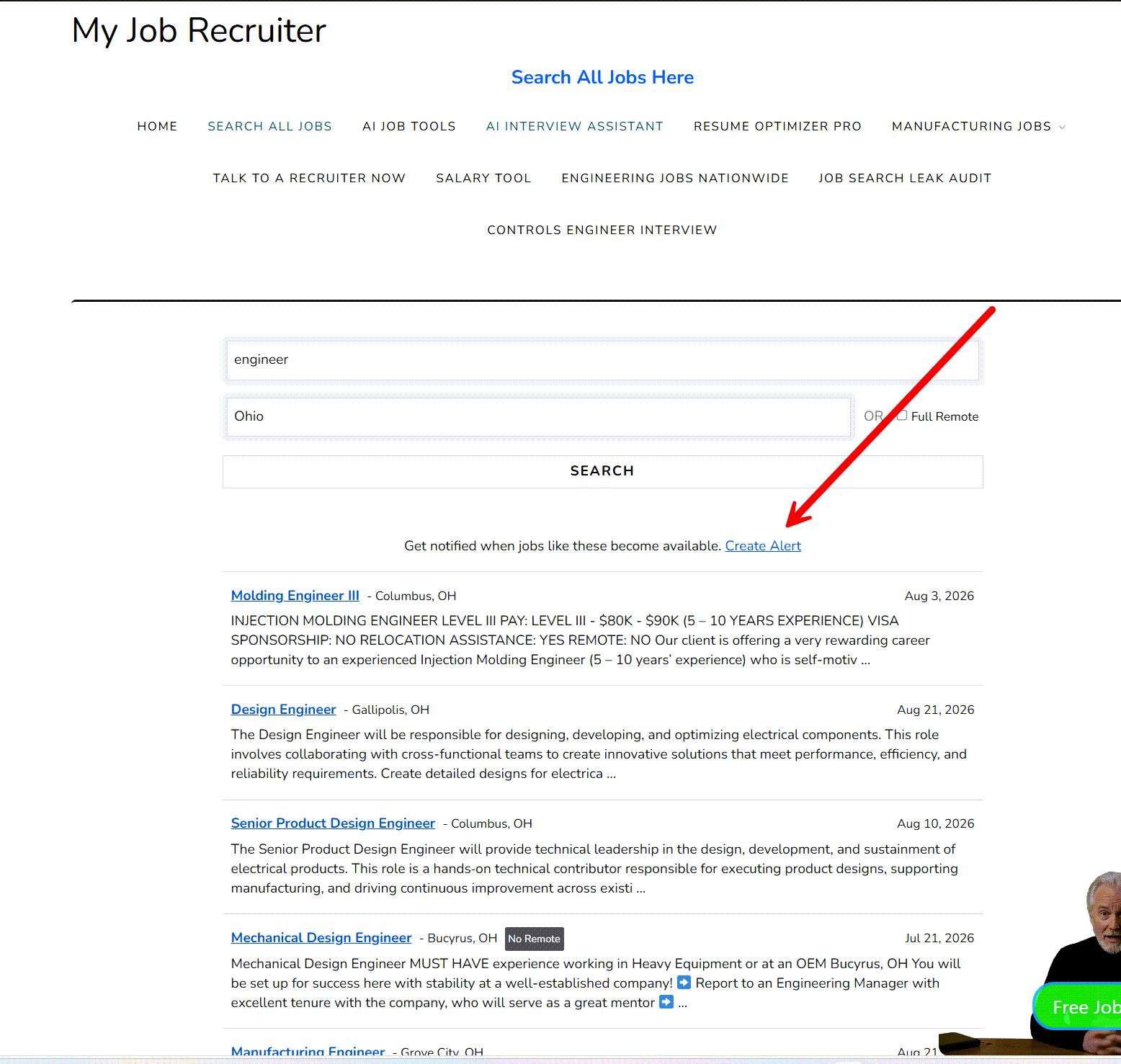
Tip: Set up separate alerts for different job titles and locations so you don’t miss a good opportunity.
Questions?
Jim Strickland
BioSource Recruiters / MyJobRecruiter.com
jim@biosourcerecruiters.com
info@myjobrecruiter.com